
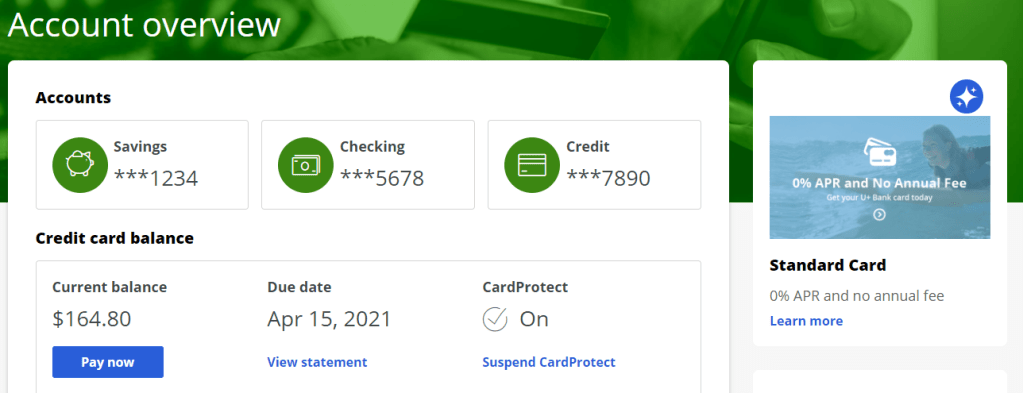
Is your intended offer is not displaying in the designated area as shown below?

No problem, in this article we shall try to find any configuration issues before we go to inspect any runtime issues (exception and all, we will try to cover in the next blog)
Let’s first look at the configurations in Next Best Action Designer. We suggest checking on these three important configurations.
- Check on Offer at Engagement Policy
- Check on Web Channel & Container Configuration
- Check on Offer – Web Treatment Configuration
Checking Offer Configuration
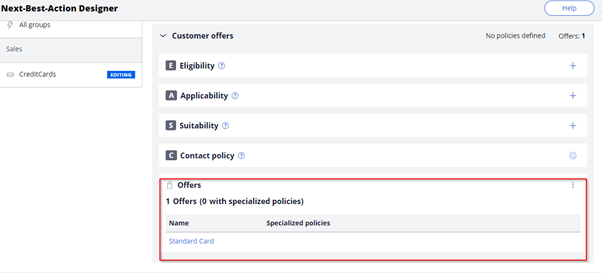
Please make sure you have rightly configured or attached the intended offer at NBA’s engagement policy section as below.
Check on Web Channel & Container Configuration
Do have a check on Web channel configuration in the channel section. If turned off, please make it ON.
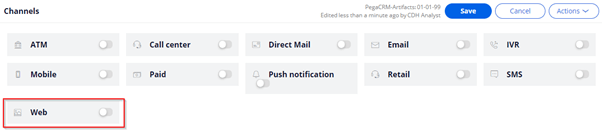
Please make sure you have attached the target container correctly. We need to make sure the ID used in the external web mashup should be matched to the container name.

Check on Offer – Web Treatment Configuration
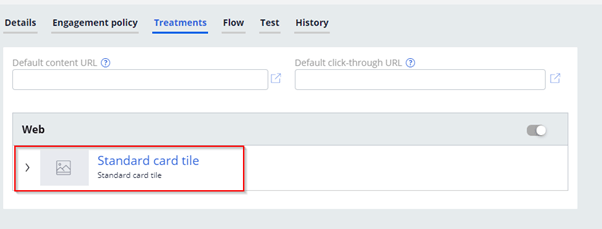
This is most common mistake that people do forget to add the targeted web treatment to the offer. Please make sure that the web treatment got added to the offer.
Once you make sure all the basic configuration done, please check on the end WSS channel to check the offer. Hope checking on these common configurations can avoid huge time at the real time implementations.
If you are still not able to see your proposed offer, please drop an email where we can get engaged to solve your problem.
Thanks for reading, please do not forget to share for learning. If you don’t know how to choose right audience for online marketing, please do read our earlier blog

 Think & Grow with PegaOOTB