
Really AppStudio is getting better and helps Pega developers to implement apps so easily and seamlessly. In this blog, we show you how quickly we create a service to third-party systems.
AppStudio
Login to the studio and click New start this process.

Provide Data object name (to have Data model created with the given name)
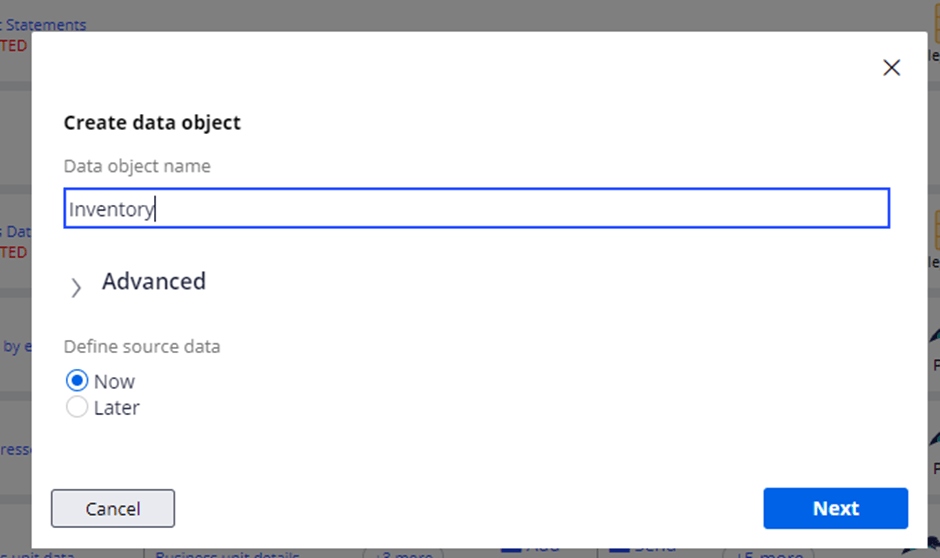
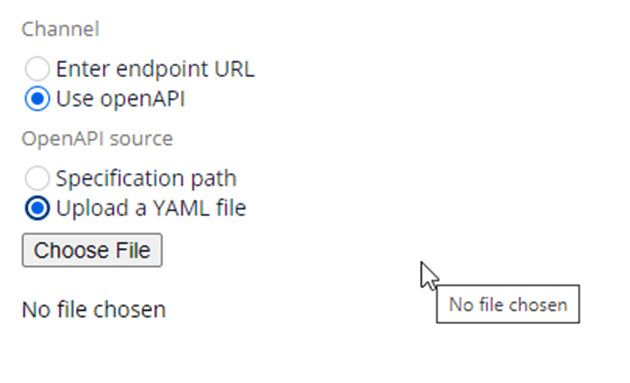
Define connection details like connection name & also define a channel. One you can choose by standard REST endpoint URL or go with OpenAPI. We chose this blog as OpenAPI.

Copy this attached and save it as a YAML file for your reference and attach as below
---
swagger: "2.0"
info:
  description: This is a simple API
  version: 1.0.0
  title: Simple Inventory API
  contact:
    email: you@your-company.com
  license:
    name: Apache 2.0
    url: http://www.apache.org/licenses/LICENSE-2.0.html
tags:
- name: admins
  description: Secured Admin-only calls
- name: developers
  description: Operations available to regular developers
paths:
  /inventory:
    get:
      tags:
      - developers
      summary: searches inventory
      description: |
        By passing in the appropriate options, you can search for
        available inventory in the system
      operationId: searchInventory
      produces:
      - application/json
      parameters:
      - name: searchString
        in: query
        description: pass an optional search string for looking up inventory
        required: false
        type: string
      - name: skip
        in: query
        description: number of records to skip for pagination
        required: false
        type: integer
        minimum: 0
        format: int32
      - name: limit
        in: query
        description: maximum number of records to return
        required: false
        type: integer
        maximum: 50
        minimum: 0
        format: int32
      responses:
        "200":
          description: search results matching criteria
          schema:
            type: array
            items:
              $ref: '#/definitions/InventoryItem'
        "400":
          description: bad input parameter
    post:
      tags:
      - admins
      summary: adds an inventory item
      description: Adds an item to the system
      operationId: addInventory
      consumes:
      - application/json
      produces:
      - application/json
      parameters:
      - in: body
        name: inventoryItem
        description: Inventory item to add
        required: false
        schema:
          $ref: '#/definitions/InventoryItem'
      responses:
        "201":
          description: item created
        "400":
          description: invalid input, object invalid
        "409":
          description: an existing item already exists
definitions:
  InventoryItem:
    type: object
    required:
    - id
    - manufacturer
    - name
    - releaseDate
    properties:
      id:
        type: string
        format: uuid
        example: d290f1ee-6c54-4b01-90e6-d701748f0851
      name:
        type: string
        example: Widget Adapter
      releaseDate:
        type: string
        format: date-time
        example: 2016-08-29T09:12:33.001+0000
      manufacturer:
        $ref: '#/definitions/Manufacturer'
  Manufacturer:
    required:
    - name
    properties:
      name:
        type: string
        example: ACME Corporation
      homePage:
        type: string
        format: url
        example: https://www.acme-corp.com
      phone:
        type: string
        example: 408-867-5309
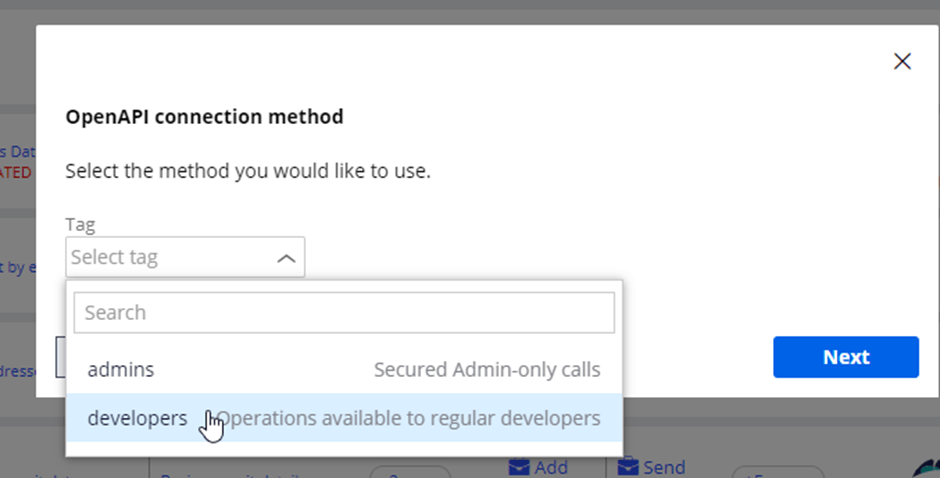
Select appropriate methods and proceed

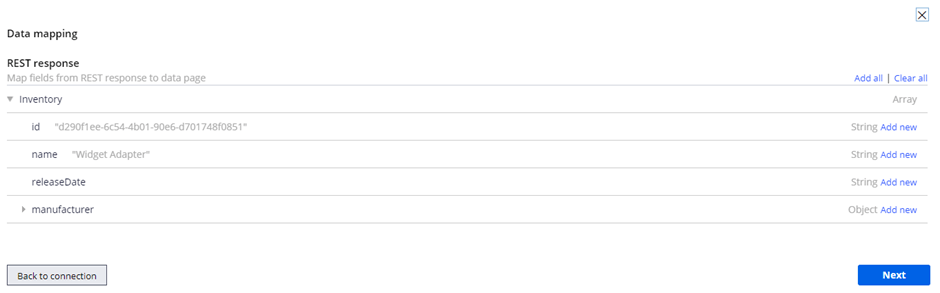
This is where you see how you can map data fields a.k.a data mapping to create required data structure with the given name (in step no 1)
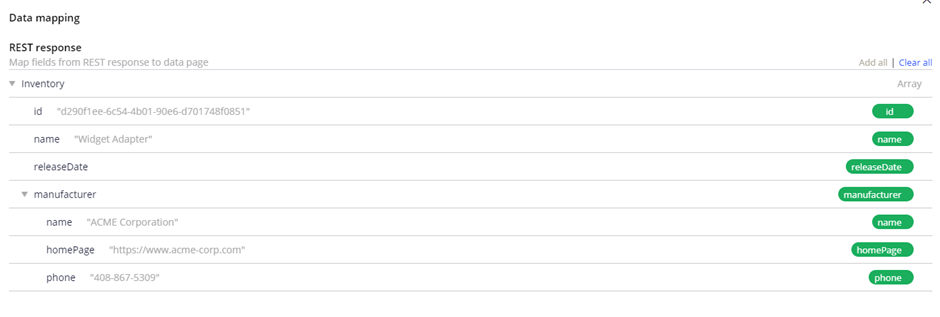
AppStudio is always citizen-centric, so it takes you as well defined update path to update system variables like app settings automatically as below.

That’s it!!!!
Wow! You have service ready and you can simulate it & view to see its LIVE DATA

Share & Grow the PegaOOTB community!


 Think & Grow with PegaOOTB